
How to display the ARP table on a FortiGate, configured in NAT mode
Description
This article is about showing the ARP table on a FortiGate device that is set up to use NAT mode. The FortiGate is a kind of device that helps control internet traffic and the ARP table on the FortiGate is very important. To see the ARP table, on the FortiGate you have to follow some steps. The FortiGate device is usually used for security. It is set up in NAT mode so this article will help you with that.
Scope
FortiGate.
Solution
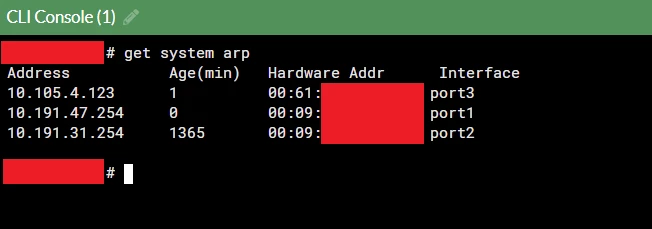
When VDOMs are not enabled:get system arpBelow is shown the output after executing the above command:
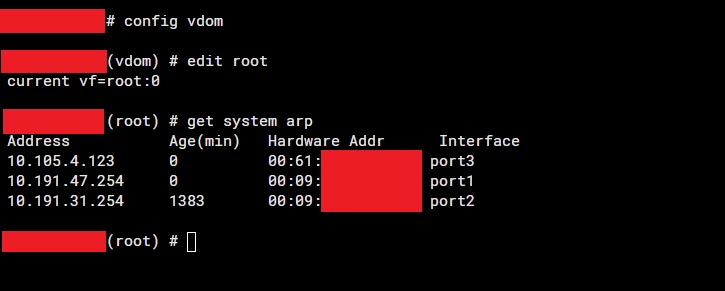
When VDOMs are enabled:config vdom edit root get system arpBelow is shown the output after executing the above commands.
To capture the ARP frames on an interface you can use the sniffer command below.The ARP frames on an interface can be captured using this command.You will need to use the following command:diagnose sniffer packet <interface_name> "arp" 6 0 lThis command is used to capture the ARP frames on an interface like the ARP frames.The command to capture the ARP frames is useful, for the ARP frames.