
The FortiGate license is needed for firmware upgrade
Description
This article explains that a valid active license is required in order to perform firmware upgrades.
Scope
FortiGate v7.4.2 and above.
Solution
From v7.4.2 and above, an active license is required for firmware upgrade. Use the command below to check the license status:
diagnose test update info contract
The following is a sample output for an inactive license, where account ID, company, contract information, and user ID are not available:
Support contract: pending_registration=0 got_contract_info=0
account_id=[] company=[] industry=[]
Contract=AVDB-2-20-19700101*NIDS-2-20-19700101
No contract information.
No contract information.
No user ID.
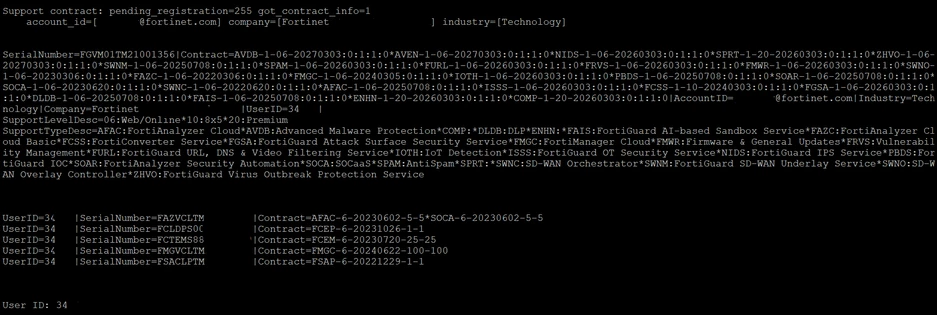
For an active license, the output will display complete details including account ID, company, contract information, and user ID.
If the firmware license expiration date is earlier than the first GA release date of a major firmware version, upgrading to that version will not be allowed.
Downgrading between major versions is still permitted, as the FortiGate firmware may have a license validity that extends beyond the release date of older major versions.If the license has expired, you should contact your Sales or Partner engineer for assistance.