FortiGate IPsec Site-to-Site VPN with PSK: Secure, Reliable Setup
Description
Set up FortiGate IPsec Site-to-Site VPN using PSK for a secure, reliable connection with step-by-step configuration and best practices guide.
Scope
This article provides a complete configuration guide for FortiGate IPsec Site-to-Site VPN setup using Pre-Shared Key (PSK) between two FortiGate devices.
It includes:
GUI configuration (VPN Wizard) for FortiGate IPsec Site-to-Site setup.
Full CLI configuration (no missing commands)
Routing and firewall setup for FortiGate IPsec Site-to-Site VPN.
- Verification and troubleshooting
Suitable for:
- Beginners (GUI understanding)
- Network engineers (CLI + troubleshooting)
Solution
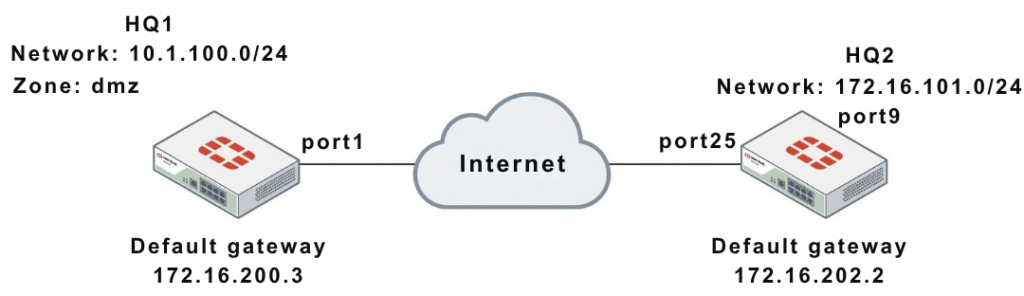
1. Network Overview 
| Device | WAN IP | Internal Network |
|---|---|---|
| HQ1 | 172.16.200.1 | 10.1.100.0/24 |
| HQ2 | 172.16.202.1 | 172.16.101.0/24 |
- VPN Type: Site-to-Site
- Authentication: Pre-Shared Key (sample)
2. GUI Configuration (Quick Setup)
HQ1:
- VPN → IPsec Wizard
- Template → Site to Site
- Remote Device → FortiGate
- Remote IP → 172.16.202.1
- Interface → port1
- PSK → sample
- Local subnet → 10.1.100.0
- Remote subnet → 172.16.101.0
HQ2:
- Remote IP → 172.16.200.1
- Interface → port25
- Local subnet → 172.16.101.0
- Remote subnet → 10.1.100.0
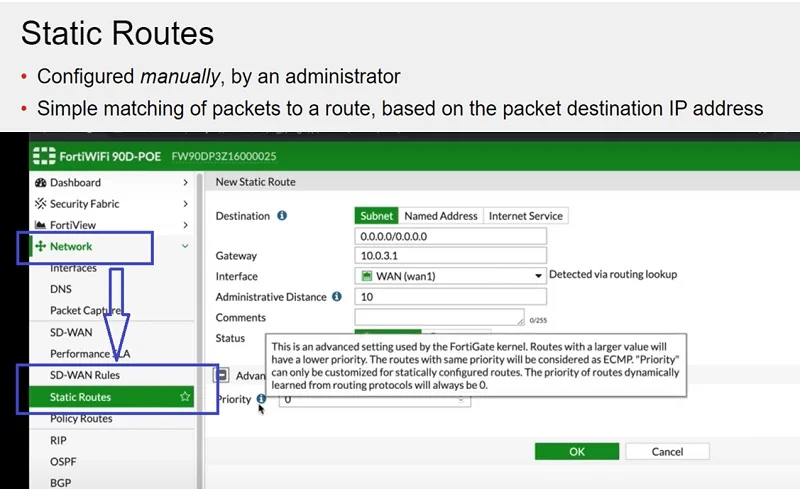
WAN Interface & Default Route
HQ1
					config system interface
edit "port1"
set vdom "root"
set ip 172.16.200.1 255.255.255.0
next
end

config router static
edit 1
set gateway 172.16.200.3
set device "port1"
next
end
HQ2
					config system interface
edit "port25"
set vdom "root"
set ip 172.16.202.1 255.255.255.0
next
end

config router static
edit 1
set gateway 172.16.202.2
set device "port25"
next
end
Internal Interfaces
HQ1
					config system interface
edit "dmz"
set vdom "root"
set ip 10.1.100.1 255.255.255.0
next
end
HQ2
					config system interface
edit "port9"
set vdom "root"
set ip 172.16.101.1 255.255.255.0
next
end
Phase 1 Configuration (IKE)
HQ1
					config vpn ipsec phase1-interface
edit "to_HQ2"
set interface "port1"
set peertype any
set net-device enable
set proposal aes128-sha256 aes256-sha256 aes128-sha1 aes256-sha1
set remote-gw 172.16.202.1
set psksecret sample
next
end
HQ2
					config vpn ipsec phase1-interface
edit "to_HQ1"
set interface "port25"
set peertype any
set net-device enable
set proposal aes128-sha256 aes256-sha256 aes128-sha1 aes256-sha1
set remote-gw 172.16.200.1
set psksecret sample
next
end
Phase 2 Configuration
HQ1
					config vpn ipsec phase2-interface
edit "to_HQ2"
set phase1name "to_HQ2"
set proposal aes128-sha1 aes256-sha1 aes128-sha256 aes256-sha256 aes128gcm aes256gcm chacha20poly1305
set auto-negotiate enable
next
end
HQ2
					config vpn ipsec phase2-interface
edit "to_HQ2"
set phase1name "to_HQ1"
set proposal aes128-sha1 aes256-sha1 aes128-sha256 aes256-sha256 aes128gcm aes256gcm chacha20poly1305
set auto-negotiate enable
next
end
Static Routes (INCLUDING BLACKHOLE) 
HQ1
					config router static
edit 2
set dst 172.16.101.0 255.255.255.0
set device "to_HQ2"
next
edit 3
set dst 172.16.101.0 255.255.255.0
set blackhole enable
set distance 254
next
end
HQ2
					config router static
edit 2
set dst 10.1.100.0 255.255.255.0
set device "to_HQ1"
next
edit 3
set dst 10.1.100.0 255.255.255.0
set blackhole enable
set distance 254
next
end
Why Blackhole Route is Critical:
Prevents traffic from using the default route if the VPN tunnel goes down.
Firewall Policies (Bidirectional)
HQ1
					config firewall policy
edit 1
set name "inbound"
set srcintf "to_HQ2"
set dstintf "dmz"
set srcaddr "172.16.101.0"
set dstaddr "10.1.100.0"
set action accept
set schedule "always"
set service "ALL"
next
edit 2
set name "outbound"
set srcintf "dmz"
set dstintf "to_HQ2"
set srcaddr "10.1.100.0"
set dstaddr "172.16.101.0"
set action accept
set schedule "always"
set service "ALL"
next
end
HQ2
					config firewall policy
edit 1
set name "inbound"
set srcintf "to_HQ1"
set dstintf "port9"
set srcaddr "10.1.100.0"
set dstaddr "172.16.101.0"
set action accept
set schedule "always"
set service "ALL"
next
edit 2
set name "outbound"
set srcintf "port9"
set dstintf "to_HQ1"
set srcaddr "172.16.101.0"
set dstaddr "10.1.100.0"
set action accept
set schedule "always"
set service "ALL"
next
end
4. Troubleshooting & Verification
Debug Command (MOST IMPORTANT)
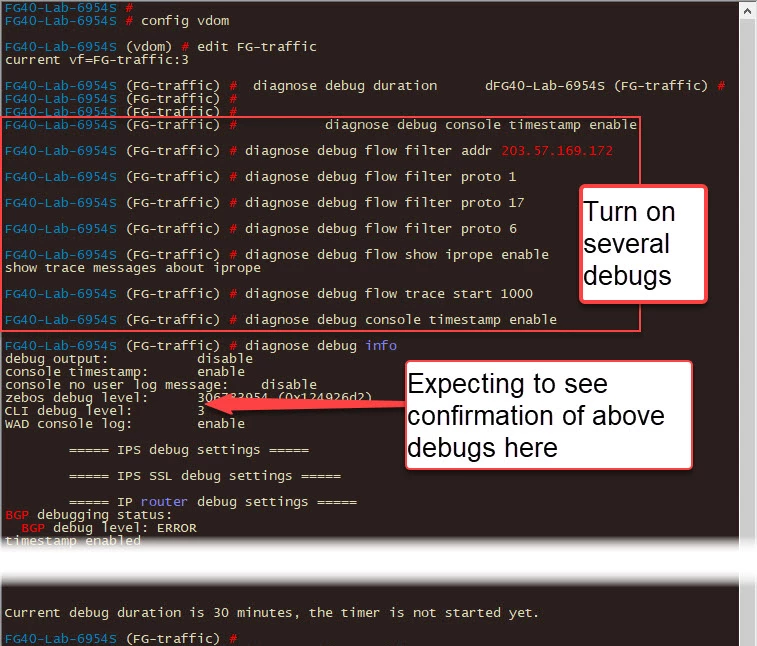
diagnose debug application ike -1
PSK Error Example
probable pre-shared secret mismatch
Check Phase1 Status
diagnose vpn ike gateway list
Key fields:
- IKE SA → must be established
- Proposal → encryption used
- DPD → keepalive status
Check Tunnel Status
diagnose vpn tunnel list
Key fields:
- SPI (Security Parameter Index)
- Encryption/Authentication
- Packet counters (rx/tx)
- Lifetime & rekey
Final Key Insights
- BOTH sides must match:
- PSK
- Phase1/Phase2 proposals
- Subnets
- Most failures are due to:
- PSK mismatch
- Wrong IP
- Missing firewall policy
Note
- Always configure blackhole route
- Always allow traffic in both directions
- Use CLI debug for faster troubleshooting
- Test using ping between subnets
- Keep firmware updated for stability
FAQ
What is PSK in VPN?
A shared secret used to authenticate both VPN peers.
Why is my VPN tunnel not coming up?
Most common reason: PSK mismatch or wrong IP address
Why use blackhole route?
To prevent traffic leakage when VPN is down.
How do I confirm VPN is working?
Check:
diagnose vpn ike gateway listdiagnose vpn tunnel list
What is Phase1 and Phase2?
- Phase1 → Authentication
- Phase2 → Data encryption